
A CRM built around how you sell.
Your stages, your language, every call, text, quote and payment on the deal. We design and build custom CRMs for sales teams that have outgrown spreadsheets and off-the-shelf tools.
New4
Google Ads
Meta
Quoted2
Google Ads
Referral
Won2
Trade show
Organic
Stop working around your CRM.
Most teams bend their process to fit the software, then keep the real pipeline in a spreadsheet. A custom CRM flips that: the software fits the way your team already works.
The whole deal, in one place.
From the first form to the signed agreement and the deposit, every touch lands on the same record. Anyone on the team can open a deal and know exactly where it stands.
- Website form from the pricing page, source Google AdsMon 9:02
- Text sent, they had agreed to texts on the formMon 9:04
- Call, 6 min, notes saved to the dealMon 10:15
- Quote sent, $18,400, agreement attachedTue 2:30
- Agreement signed onlineThu 11:48
- Deposit paid by ACH, invoice marked paidThu 11:51
- Commission calculated for the repThu 11:51
Built from the parts you need.
CRMs teams log into every day.
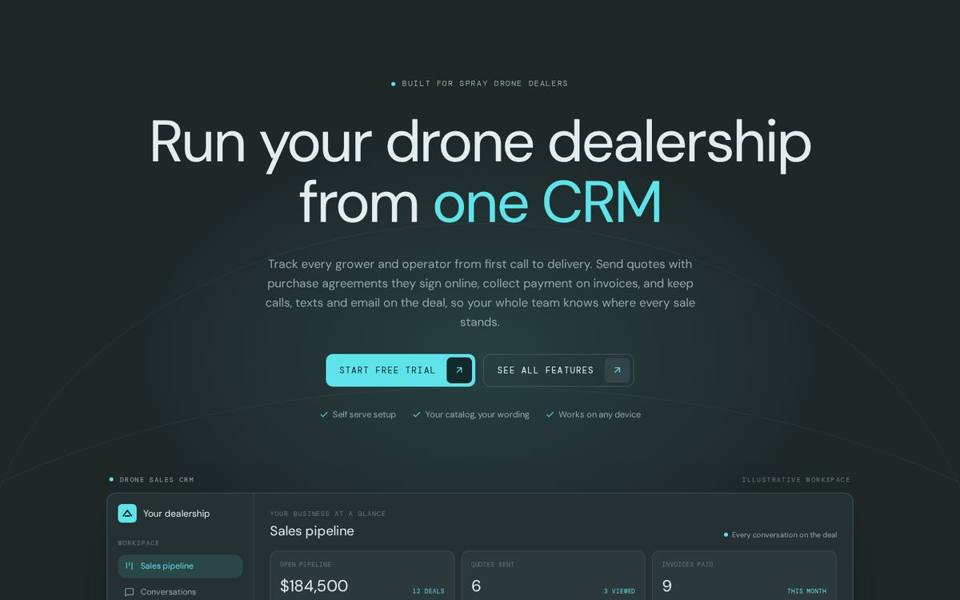
Drone Sales CRM
Started as one sales team's CRM, now a product other dealers sign up for: pipeline, quotes with signed agreements, online payments, and every call, text and email on the deal.
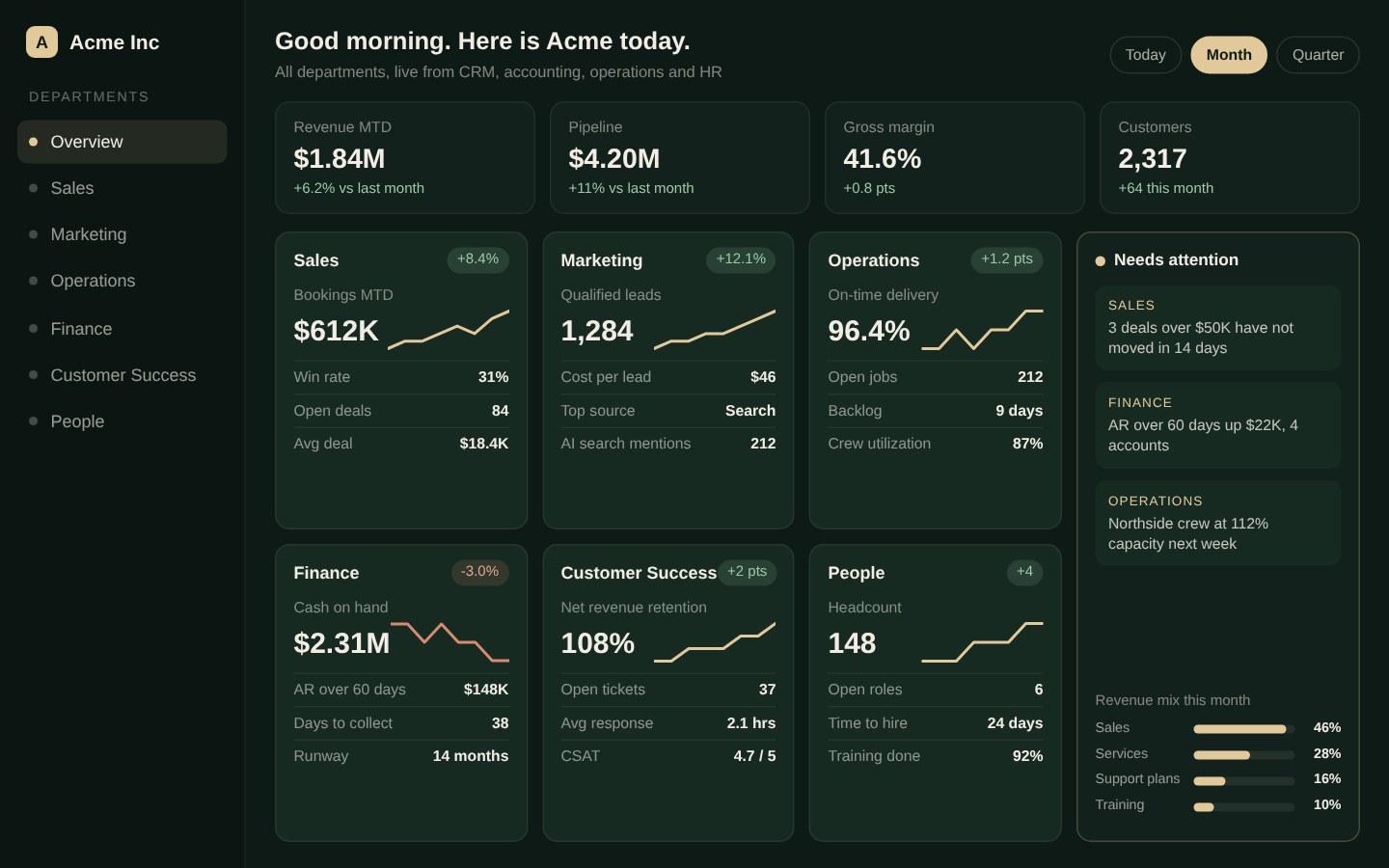
Executive dashboard
The morning view that sits on top of the CRM: sales, marketing, operations and finance, with what needs attention first. Sample data shown.
Your process first. Then the software.
Sit with the team
Watch how deals really move.
- Ride along with reps and managers
- Every spreadsheet and app reviewed
- What leadership needs to see
Shape the pipeline
Stages, fields and rules agreed.
- Pipeline stages in your words
- Who sees and edits what
- What gets automated
Prototype
Click through it with your data.
- Real deals, not sample text
- Feedback from the people using it
- Changes before the build
Build and move data
Built in pieces, history brought over.
- Features shipped to staging
- Calls, email, payments connected
- Old data imported and checked
Launch and train
Switched on, then improved.
- Risk review before go-live
- Team training
- Next features planned with you
Custom CRMs, answered.
What is a custom CRM?
A customer relationship management system built around your sales process instead of a vendor's template. It tracks every lead and deal from first contact to paid invoice, with your stages, your fields and the tools your team already uses connected to it.
When is a custom CRM better than an off-the-shelf one?
When your team works around the CRM instead of in it: deals tracked in spreadsheets on the side, quotes and payments in other apps, leads copied in by hand, or reports that never match what leadership asks. If an off-the-shelf CRM fits your process, we will tell you.
Can you move our data from our current CRM or spreadsheets?
Yes. We import contacts, deals, notes and history from spreadsheets, other CRMs and website form entries, check the numbers against the old system and keep anything that does not map cleanly instead of dropping it.
Can it handle calls, texts and email?
Yes. Calls, texts and emails can be made from the CRM and saved on the deal. Texting includes opt-in records and opt-out handling so it follows carrier rules.
Can it take payments?
Yes. Quotes can carry a signed agreement, and invoices can be paid online by card or ACH through Stripe, with the payment posted to the deal automatically.
How is this different from your web development page?
Web development covers every kind of custom software we build, from client portals to dispatch boards. This page is only about CRMs: what goes into one, how a build runs and how your data moves over.
How long does a custom CRM take?
It depends on scope. A focused CRM for one sales team is a much smaller project than a multi-company platform with payments and texting. We map it in a written plan before work starts, and you can start using the first pieces before the whole thing is done.
Let's build what's next.
Tell us where the company is headed. We'll come back with what it takes to get there.